
Online shopping makes it dangerously easy to overspend. You add items to your cart without comparing prices, miss available coupons, and pay full price when better deals exist just clicks away. The average shopper leaves 15-20% in potential savings on the table with every purchase. This guide reveals practical, tested strategies using browser extensions, price tracking tools, and coupon stacking to help you save money on everyday health and home products in 2026.
Table of Contents
- Preparing To Save: Tools And Prerequisites You Need
- Step-By-Step Guide To Saving Money While Shopping Online
- Avoiding Common Mistakes And Verifying Your Savings
- Explore Budget-Friendly Health And Home Products With Secret Finds Online
- What Are The Best Browser Extensions To Save Money Shopping Online?
- How Can I Stack Coupons Effectively When Shopping Online?
- How Do Price Tracking Tools Help Me Save Money?
Key takeaways
| Point | Details |
|---|---|
| Browser extensions automate savings | Tools like Honey and Rakuten find coupons and earn cashback automatically at checkout |
| Price tracking prevents overpaying | Historical price data reveals the best times to buy and exposes fake discounts |
| Coupon stacking multiplies discounts | Combining manufacturer coupons with store sales and cashback creates layered savings |
| Cashback adds passive income | Credit cards and websites return 1-10% on purchases with minimal effort |
| Price comparison ensures best deals | Checking multiple retailers before buying guarantees you pay the lowest available price |
Preparing to save: tools and prerequisites you need
Before you start shopping, install the right tools to automate your savings. Browser extensions automatically find and apply coupon codes at online retailers, eliminating manual searching. Popular options include Honey, which tests multiple codes at checkout, and Rakuten, which offers cashback at thousands of stores. These extensions work silently in your browser, activating when you visit participating retailers.
Cash-back websites offer percentages back on purchases, typically ranging from 1% to 10% depending on the retailer and product category. You shop through their portal or use their extension, and they share affiliate commissions with you. TopCashback, Swagbucks, and BeFrugal operate on this model. Payment arrives via check, PayPal, or gift cards after a waiting period, usually 30 to 90 days.
Rewards credit cards provide cashback or points redeemable for statement credits or rewards. Choose cards matching your spending patterns. If you frequently buy health supplements and household items, look for cards offering bonus categories in online shopping or general merchandise. Pay your balance in full monthly to avoid interest charges that erase savings.
Price comparison websites and apps like Google Shopping, PriceGrabber, and ShopSavvy scan multiple retailers simultaneously. They reveal price differences you’d miss checking stores individually. Some apps use barcode scanning for instant mobile comparisons while browsing physical stores.
Pro Tip: Before installing any browser extension, review its permissions carefully. Legitimate tools need access to view shopping sites but shouldn’t require access to banking sites or personal email. Check reviews and verify the developer’s reputation to avoid malicious software disguised as savings tools.
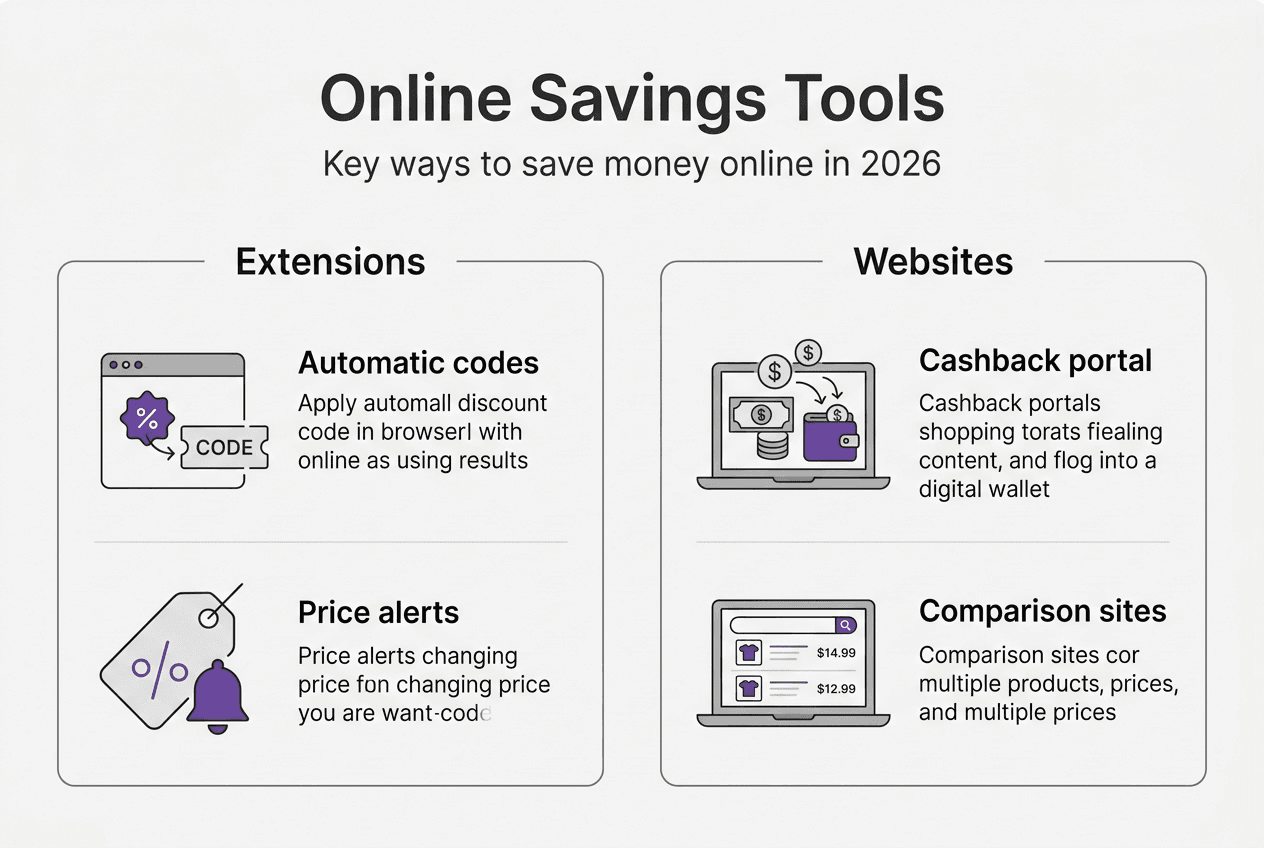
Here’s a comparison of essential money-saving tools:
| Tool Type | Primary Function | Typical Savings | Setup Time |
|---|---|---|---|
| Browser Extension | Auto-apply coupons | 5-20% per order | 2 minutes |
| Cashback Website | Earn percentage back | 1-10% ongoing | 5 minutes |
| Rewards Credit Card | Points or cashback | 1-5% per purchase | 15-30 minutes |
| Price Tracker | Alert on price drops | 10-30% timing savings | 3 minutes |
Start by installing one browser extension and one cashback tool. Master these before adding more to avoid overwhelming yourself with notifications and duplicate efforts. Visit Secret Finds Online to practice using your new tools on curated health and home products.
Step-by-step guide to saving money while shopping online
Follow this systematic approach to maximize savings on every purchase. Each step builds on the previous one, creating multiple layers of discounts.
-
Activate your browser extension before shopping. When you visit a retailer’s website, your extension icon will light up or display a notification. Browser extensions automatically find and apply coupon codes at checkout, saving time and money in about 10 to 30 seconds. Click the icon to activate cashback tracking if using Rakuten or similar tools.
-
Check price history before adding items to your cart. Install The Camelizer or Keepa for Amazon, or use built-in tracking features on other sites. Price tracking extensions provide price history charts for informed buying decisions. If the current price sits near the historical high, wait for a drop. Set alerts for your target price.
-
Search for stackable coupons manually. While extensions find many codes, they miss some. Visit RetailMeNot, Coupons.com, and the retailer’s own coupon page. Coupon stacking can lead to significant savings depending on the retailer’s policies. Look for percentage-off codes, dollar-amount discounts, and free shipping offers.
-
Understand which coupons stack. Most retailers allow combining one manufacturer coupon with one store coupon. Some permit stacking a percentage discount with free shipping. Few allow multiple percentage discounts together. Test combinations at checkout, the system will reject invalid stacks automatically.
-
Layer your savings strategically. Start with base sales or clearance prices. Apply your best percentage-off coupon next. Add free shipping codes if your order doesn’t qualify naturally. Activate cashback last, as it calculates from your final discounted price. This sequence maximizes your total savings.
Pro Tip: Screenshot your cart total before and after applying coupons and extensions. This creates a visual record of actual savings and helps you identify which tools deliver real value versus empty promises.
Here’s how different coupon types stack:
| Discount Type | Stacks With Store Sale | Stacks With Manufacturer Coupon | Stacks With Cashback |
|---|---|---|---|
| Percentage Off | Usually yes | Sometimes | Yes |
| Dollar Amount Off | Usually yes | Sometimes | Yes |
| Free Shipping | Yes | Yes | Yes |
| Buy One Get One | Rarely | Rarely | Yes |
Practice these steps on smaller purchases first. Once comfortable, apply the full process to larger orders where savings multiply. Browse health and home essentials to test your new skills on practical everyday items.
Avoiding common mistakes and verifying your savings
Even experienced online shoppers fall into traps that erase their hard-won savings. Recognizing these pitfalls protects your budget and ensures your tools actually work.

Many cashback offers include hidden restrictions. Be aware of terms and conditions, including minimum purchases, expiration dates, and excluded categories. Gift card purchases, for example, rarely qualify for cashback. Using external coupon codes not provided by the cashback site may void your earnings. Read the fine print before assuming you’ll receive rewards.
Expired or invalid coupon codes waste time and create frustration. Browser extensions sometimes display outdated codes that no longer work. When a code fails, try the next option immediately rather than abandoning your purchase. Some retailers intentionally leak non-functional codes to create urgency without offering real discounts.
Impulse buying triggered by discount notifications destroys more budgets than it saves. Just because an item drops 40% doesn’t mean you need it. Set price alerts only for products already on your shopping list. Unsubscribe from promotional emails that tempt you toward unnecessary purchases.
Pro Tip: Check extension permissions and privacy settings quarterly. Developers sometimes update tools to request additional access. Remove extensions you haven’t used in 60 days to reduce security risks and browser slowdown.
Test savings by shopping with and without the extension enabled across multiple stores to verify benefits. Create two browser profiles, one with extensions and one without. Compare final prices on identical orders. This controlled test reveals whether your tools actually save money or just create busy work.
Track cashback earnings in a spreadsheet. Record the purchase date, retailer, order amount, expected cashback, and actual payout date. This system exposes sites that fail to credit earnings properly. Follow up on missing cashback within 30 days, as most programs have claim windows.
Use virtual credit card numbers for online purchases when available. Services like Privacy.com or your credit card’s virtual number feature create single-use card numbers. This protects your actual card from data breaches at retailers. Set spending limits on virtual cards to prevent unauthorized charges.
“The best savings tool is the one you actually use consistently. Start with one or two reliable extensions rather than installing everything available.”
Verify that HTTPS appears in the address bar before entering payment information. Legitimate retailers encrypt checkout pages. Avoid shopping on public Wi-Fi networks where hackers can intercept data. Use your phone’s cellular connection or a VPN for secure transactions.
Monitor your credit card statements weekly rather than monthly. Catching fraudulent charges quickly improves your chance of recovery. Enable transaction alerts through your card issuer’s app for real-time notifications. Dispute unauthorized charges immediately.
Return to Secret Finds Online regularly to discover new budget-friendly products where you can apply these verified savings strategies safely and effectively.
Explore budget-friendly health and home products with Secret Finds Online
Now that you’ve mastered money-saving techniques, put them into practice on products that actually improve your daily life. Secret Finds Online curates affordable health supplements, lifestyle gadgets, and home essentials specifically for budget-conscious shoppers.

Our organic mushroom powder for brain health supports focus and cognitive function without breaking your budget. Browse small desk and lifestyle gadgets that solve everyday problems efficiently. Discover beauty tools and self-care accessories that deliver spa-quality results at home prices.
Every product undergoes careful evaluation for value, quality, and practical utility. We feature items that:
- Solve real problems in your daily routine
- Offer exceptional value compared to premium alternatives
- Come from reliable manufacturers with positive user feedback
- Qualify for the discount stacking strategies you just learned
Apply your browser extensions, activate cashback, and use price tracking on every Secret Finds purchase. Our already competitive prices become even better when combined with your new savings skills.
What are the best browser extensions to save money shopping online?
Which browser extensions offer the most reliable savings?
Honey stands out for automatic coupon testing, trying multiple codes at checkout without manual effort. Rakuten excels at cashback, partnering with over 3,500 stores and offering quarterly bonus promotions. Capital One Shopping compares prices across retailers while finding coupons. Install one primary extension first, then add specialized tools as needed.
Do browser extensions slow down my computer?
Quality extensions use minimal resources and shouldn’t noticeably impact performance. If you experience slowdowns, disable extensions one at a time to identify the culprit. Remove extensions you don’t actively use, keeping only your most valuable two or three tools active.
Are cashback browser extensions safe to use?
Reputable extensions from established companies are generally safe. Check reviews, verify the developer, and review requested permissions before installing. Legitimate tools need access to shopping sites but shouldn’t request access to banking or email. Update extensions regularly to patch security vulnerabilities.
How can I stack coupons effectively when shopping online?
What types of coupons can I combine?
Most retailers allow one manufacturer coupon plus one store coupon on the same item. You can typically add free shipping codes to any discount. Percentage-off coupons rarely stack with other percentage discounts. Always start with the largest percentage discount, then add dollar-amount coupons and free shipping.
Why do some coupon combinations get rejected at checkout?
Retailers program their systems to block certain combinations that would reduce prices below acceptable margins. Common restrictions include preventing multiple percentage discounts, blocking coupons on already-discounted clearance items, and limiting one coupon per customer. The checkout system automatically enforces these rules.
How do I find stackable coupons for specific stores?
Visit coupon aggregator sites and read the terms carefully. Look for phrases like “combinable with other offers” or “stackable.” Join retailer email lists for exclusive codes. Check the store’s coupon policy page, usually linked in the footer. Test combinations at checkout, the worst outcome is simply having a code rejected.
How do price tracking tools help me save money?
What do price tracking tools actually track?
These tools monitor historical prices over weeks or months, creating charts that show typical price ranges. They track both regular prices and sale prices, revealing patterns like weekly promotions or seasonal discounts. Some tools also monitor stock levels, alerting you when popular items return to availability.
When should I buy based on price history?
Purchase when the current price falls into the bottom 25% of the historical range. Avoid buying at historical highs unless you need the item immediately. Set alerts for your target price, typically 20 to 30% below the current listing. Wait for major shopping events like Black Friday or Prime Day for deeper discounts on non-urgent items.
Which price tracking tools work best?
The Camelizer and Keepa excel for Amazon price tracking, showing three-month histories directly on product pages. Google Shopping tracks prices across multiple retailers simultaneously. Honey’s Droplist feature monitors items and alerts you to price drops. Choose tools that integrate seamlessly with stores where you shop most frequently.